Inventory
Liquid glass for ox_inventory, with an inspector, plates and a backpack.
A premium addon for the free, open-source NX ox_inventory base. It loads at runtime and modifies no base files.
€18.81incl. VAT
1.0.1, 7 July 2026


Runs on ESX, QBCore and QBox. Also ox_core, everywhere ox_inventory runs.
What you get
- The addon is escrowed with
config.luaopen. The ox_inventory base is free and open source. - Works on every server on your Cfx.re account. One license key per server.
- Delivered to Keymaster when you pay. Every update is free.
- Help on Discord from the developers who wrote it.
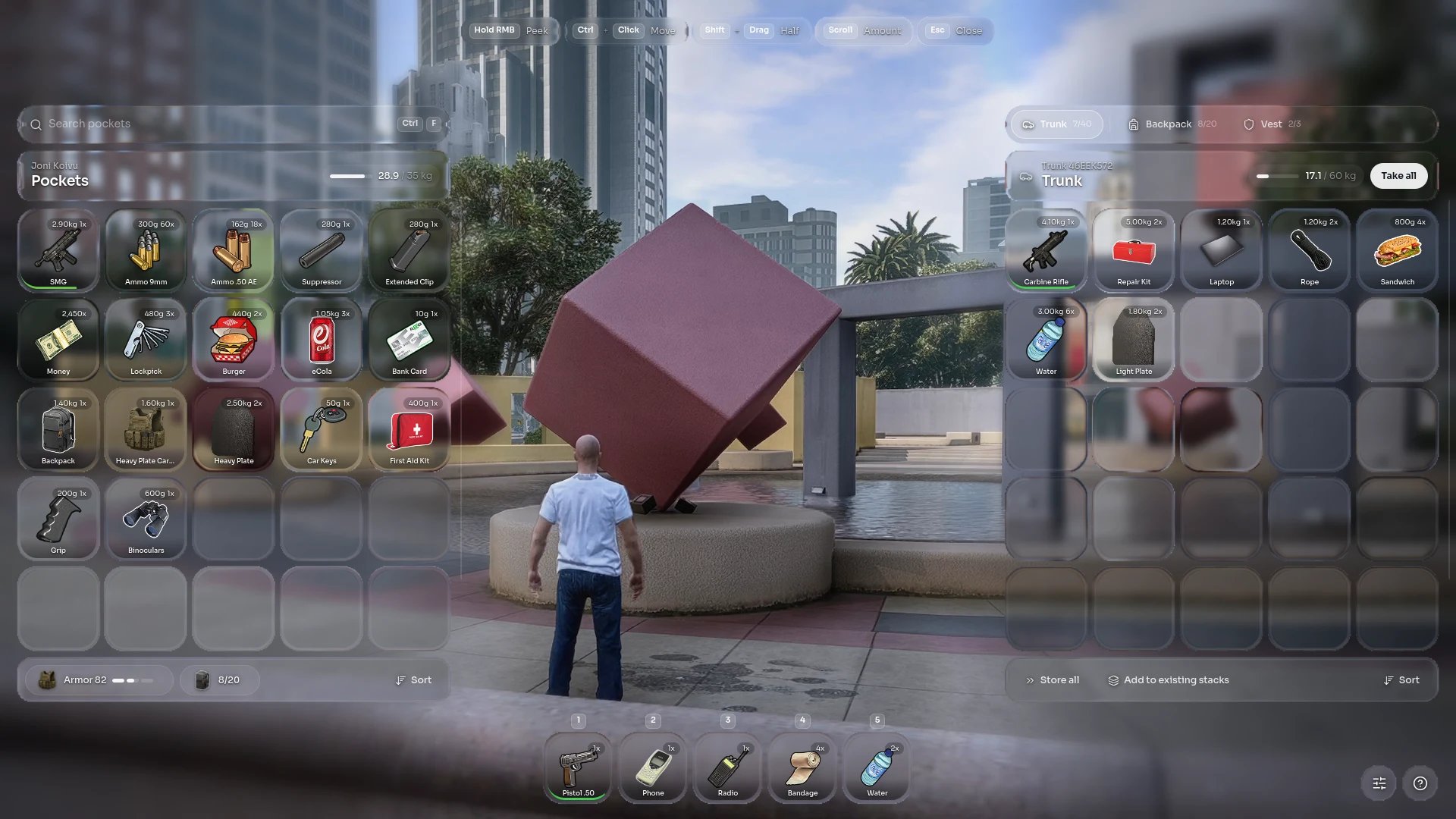
Real glass, so the street shows through.
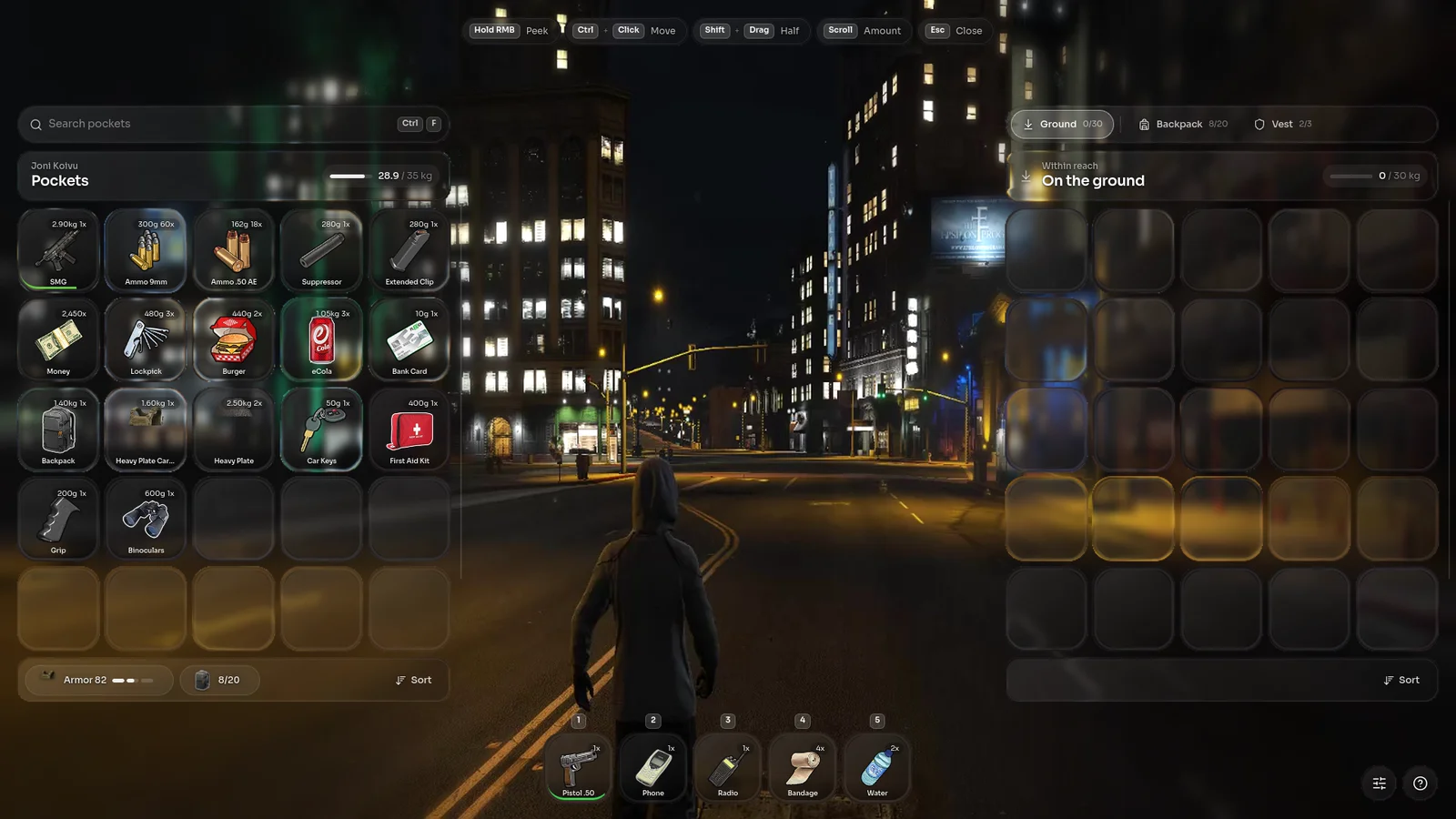
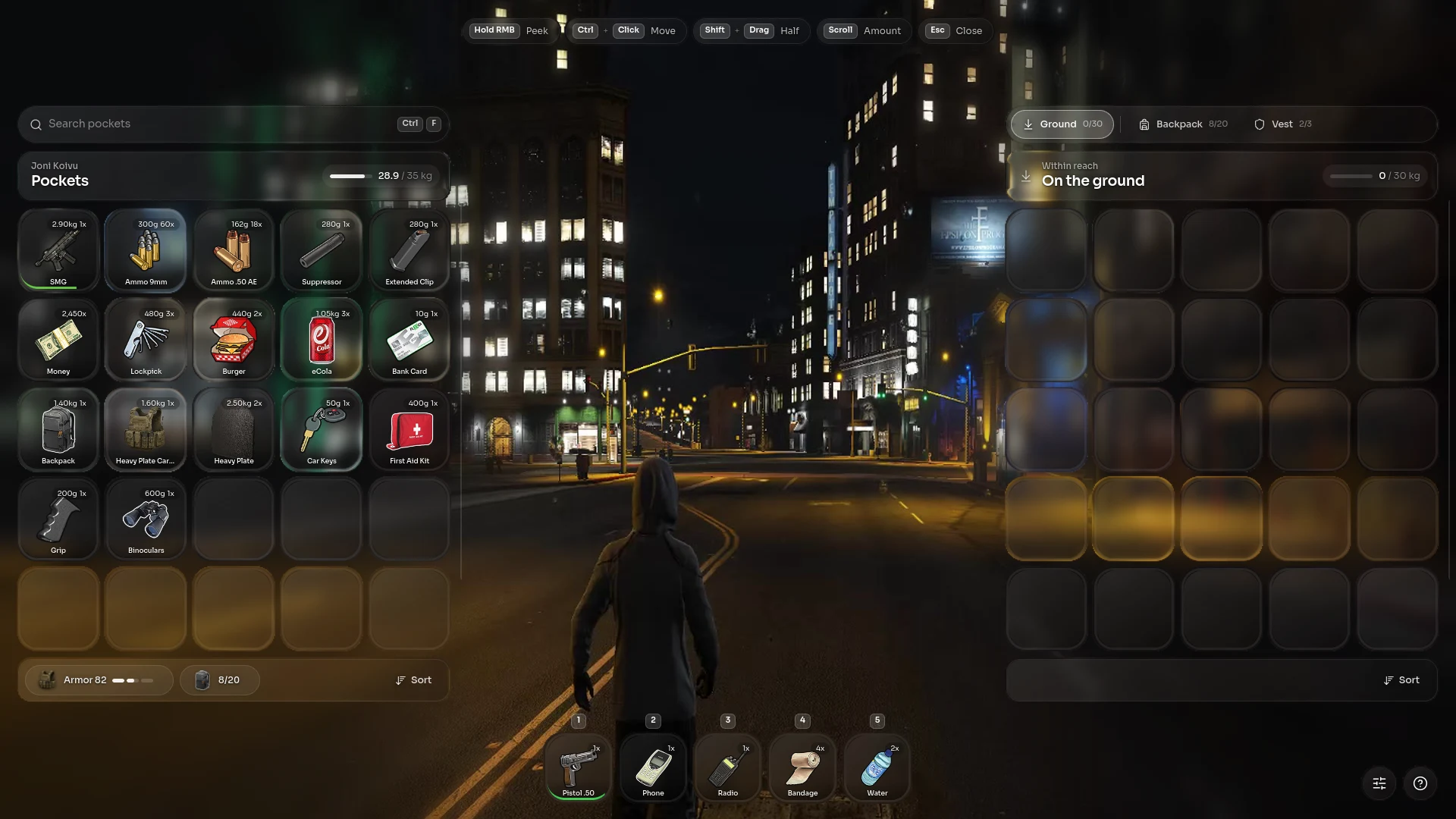
The scene behind the inventory shows through every slot, blurred and tinted, with edges that catch the light. Labels adjust, so they stay readable at night or under a bright sign.
Slots, tooltips, menus and the hotbar are all glass.
A premium addon on a free inventory.
NX Inventory sits on top of the NX build of ox_inventory, which is free and open source. Install the base first, then add this.
- The base is free.
- A redesigned ox_inventory with the drag, the search, peek and the Customize panel. Your items, exports and events keep working.
- This addon adds the rest.
- Liquid glass, the weapon inspector, a backpack and a vest, and plate armor.
- It changes no base files.
- It loads into the base on its own. Take it out and the base keeps running with its plain look.
- Any server ox_inventory runs on.
- ESX, QBCore, QBox and ox_core. The addon holds no framework code.
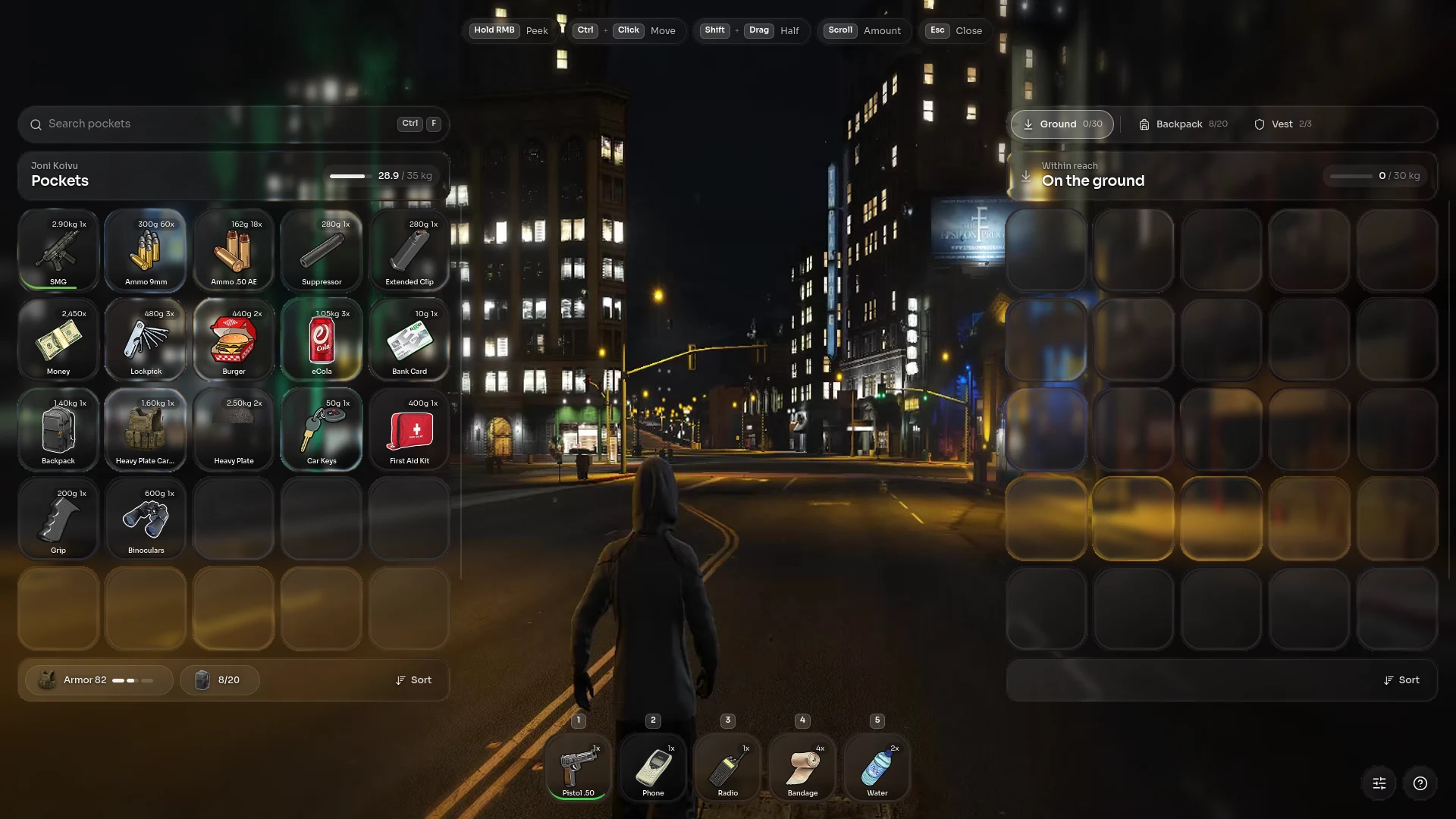
Pockets on the left, what you open on the right.
- 1
Your pockets
Docked to the left edge, with your weight up top.
- 2
What you opened
The ground, a trunk or a stash. Your backpack and vest sit in tabs beside it.
- 3
Worn gear
Your armor and your backpack, each one click away.
- 4
Hotbar 1 to 5
Drag an item straight onto it.
- 5
Controls at a glance
Peek, move, split and amount, always on screen.
Move things fast: drag, split and search.
These come with the free base, drawn in the addon's glass.
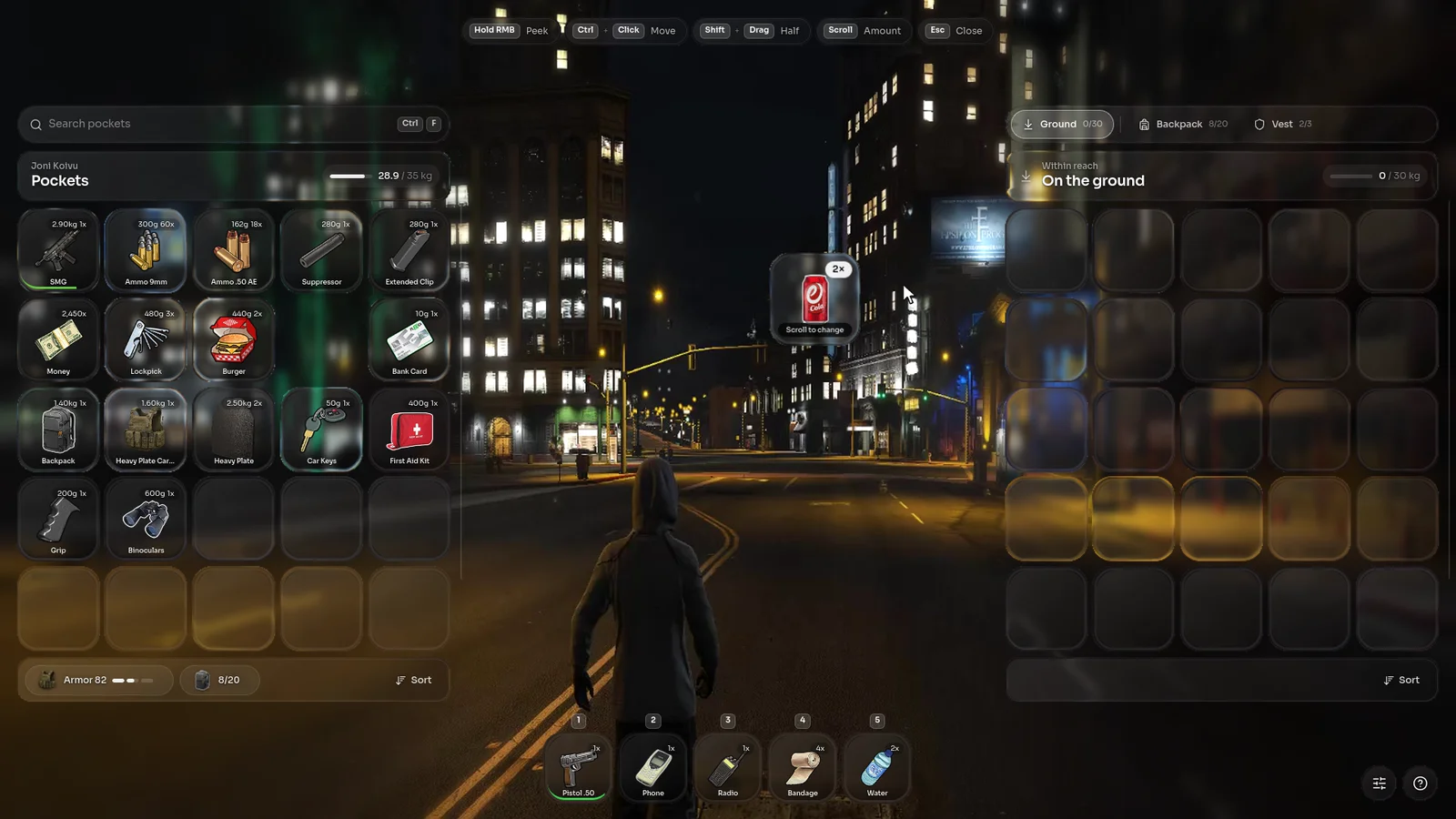
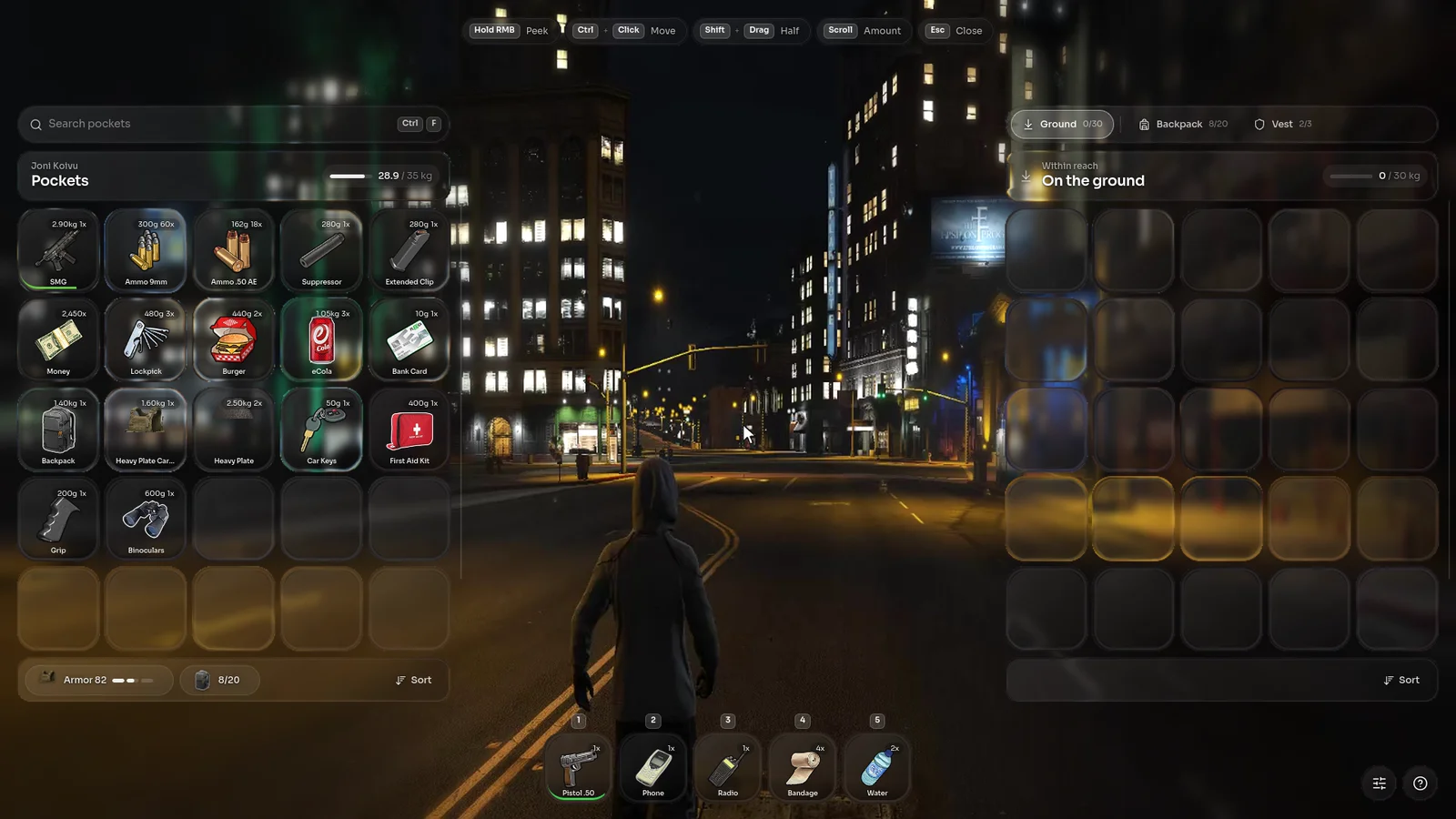
Hold to peek and let go to come back.
Hold the right mouse button on empty space and the whole inventory fades to show the street. Let go and it comes back.
Wear a backpack and carry plates that wear down.
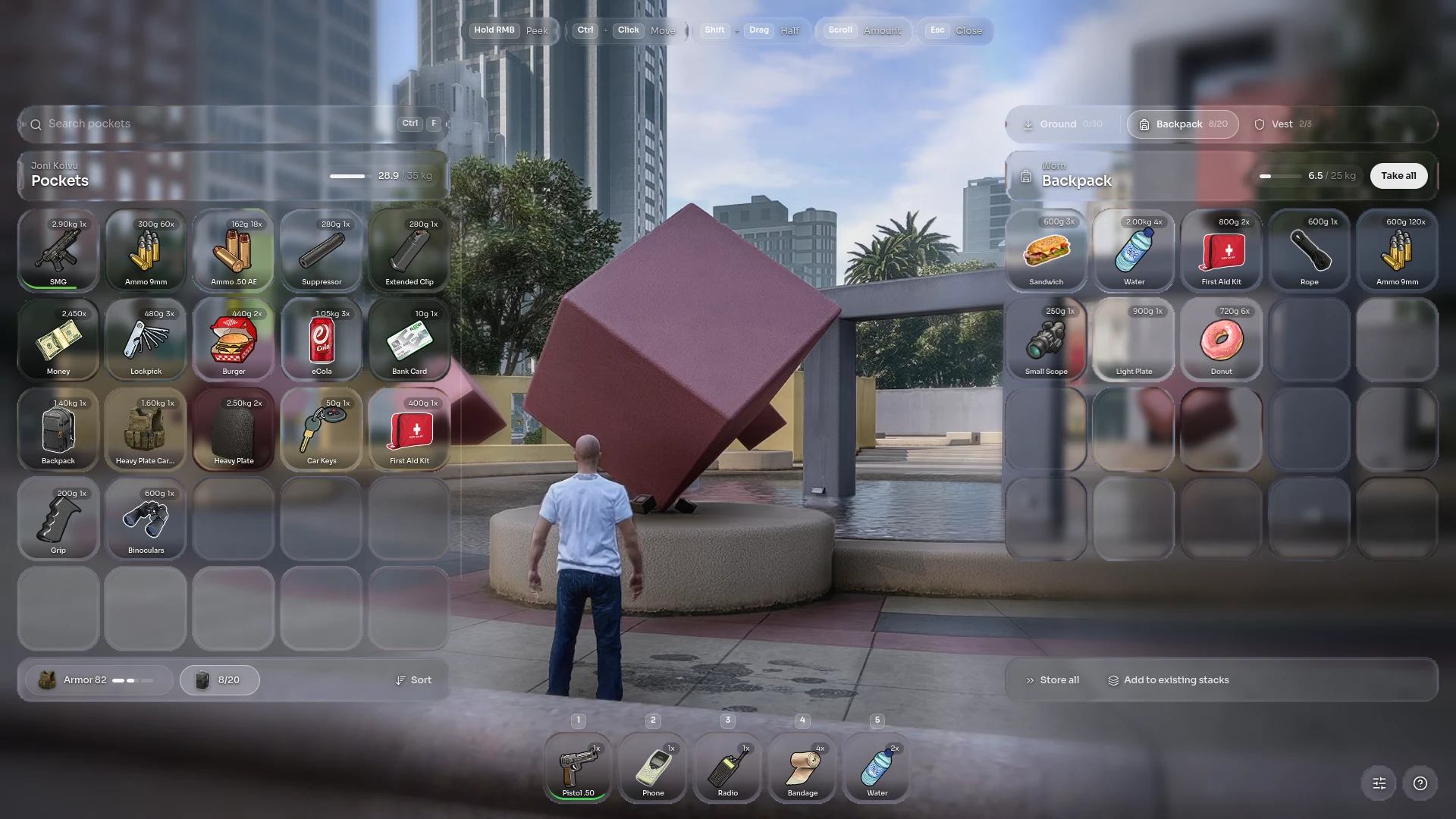
Your backpack opens as a tab next to whatever you opened. Take all, or store all, in one click.
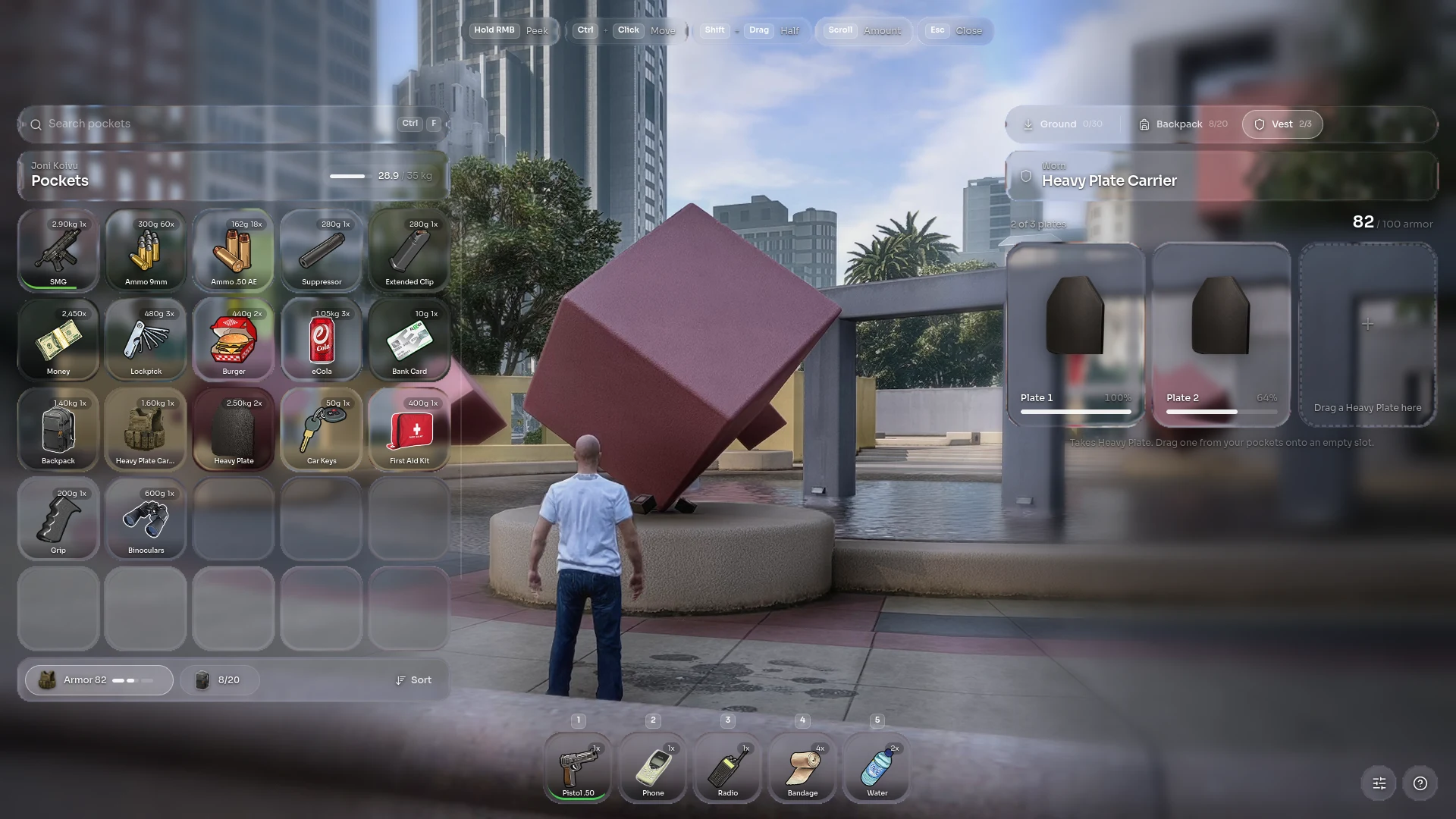
Each plate shows its wear. Drag one from your pockets onto an empty slot.
- Any container is a backpack.
- Wear it and a second grid opens. Move things to your pockets, a trunk or the ground.
- Plates are your armor.
- A plate's wear sets your armor, and it drops as you take hits.
- Your vests, your plates.
- The config sets the vests, the plates, how many each holds and how much armor they give.
- Search a player, see their bag.
- Their worn backpack opens as a tab, and you can take from it.
Inspect a weapon and fit parts on the spot.
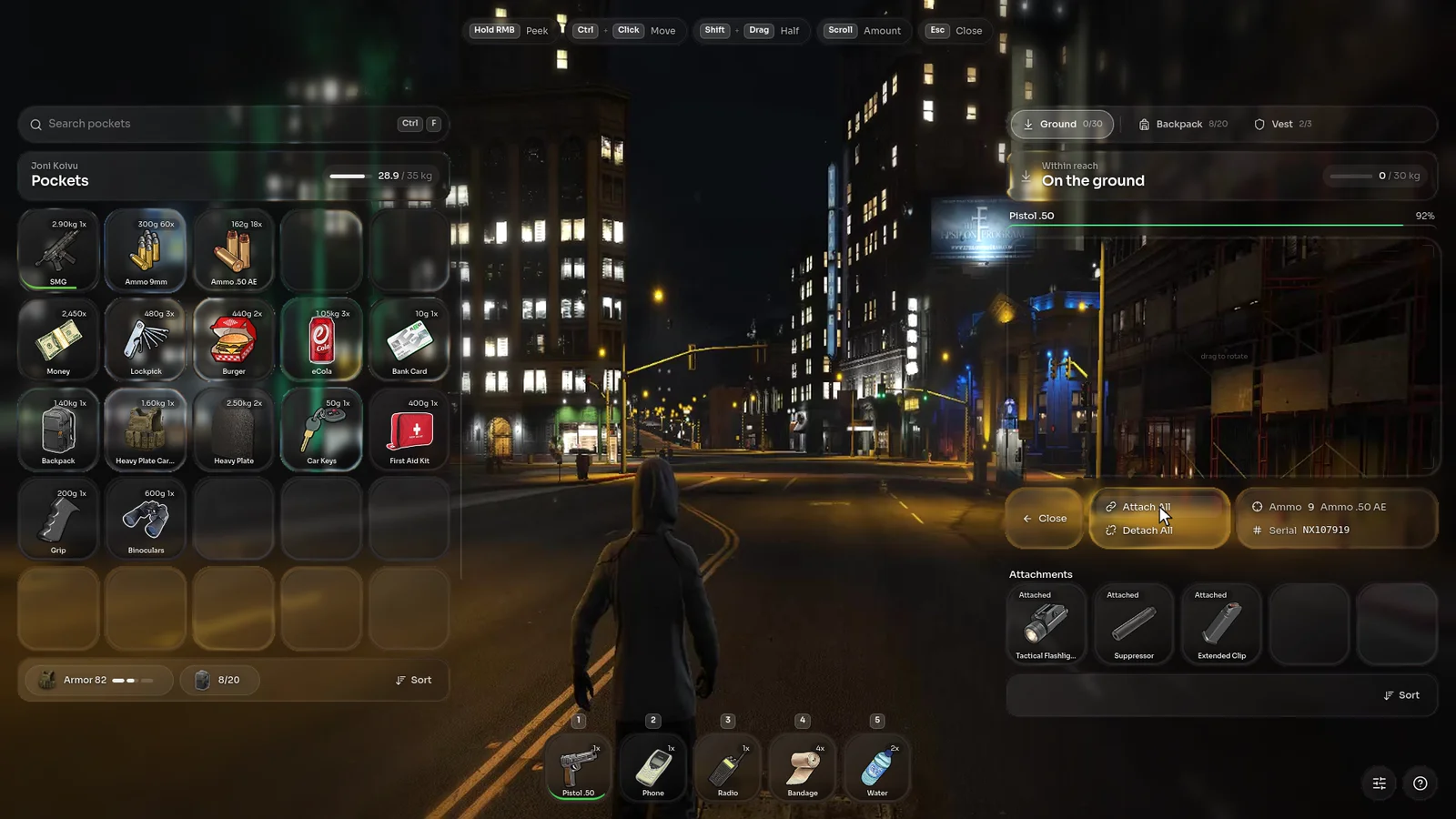
Right-click a weapon and pick Inspect. Attach or remove its parts one by one, or all at once.
Durability, ammo and the serial number sit beside them. In game the weapon itself is in the window, and you drag to turn it.
Liquid or Frosted, with blur on or off.
Liquid is the signature look, and Frosted is more subtle.
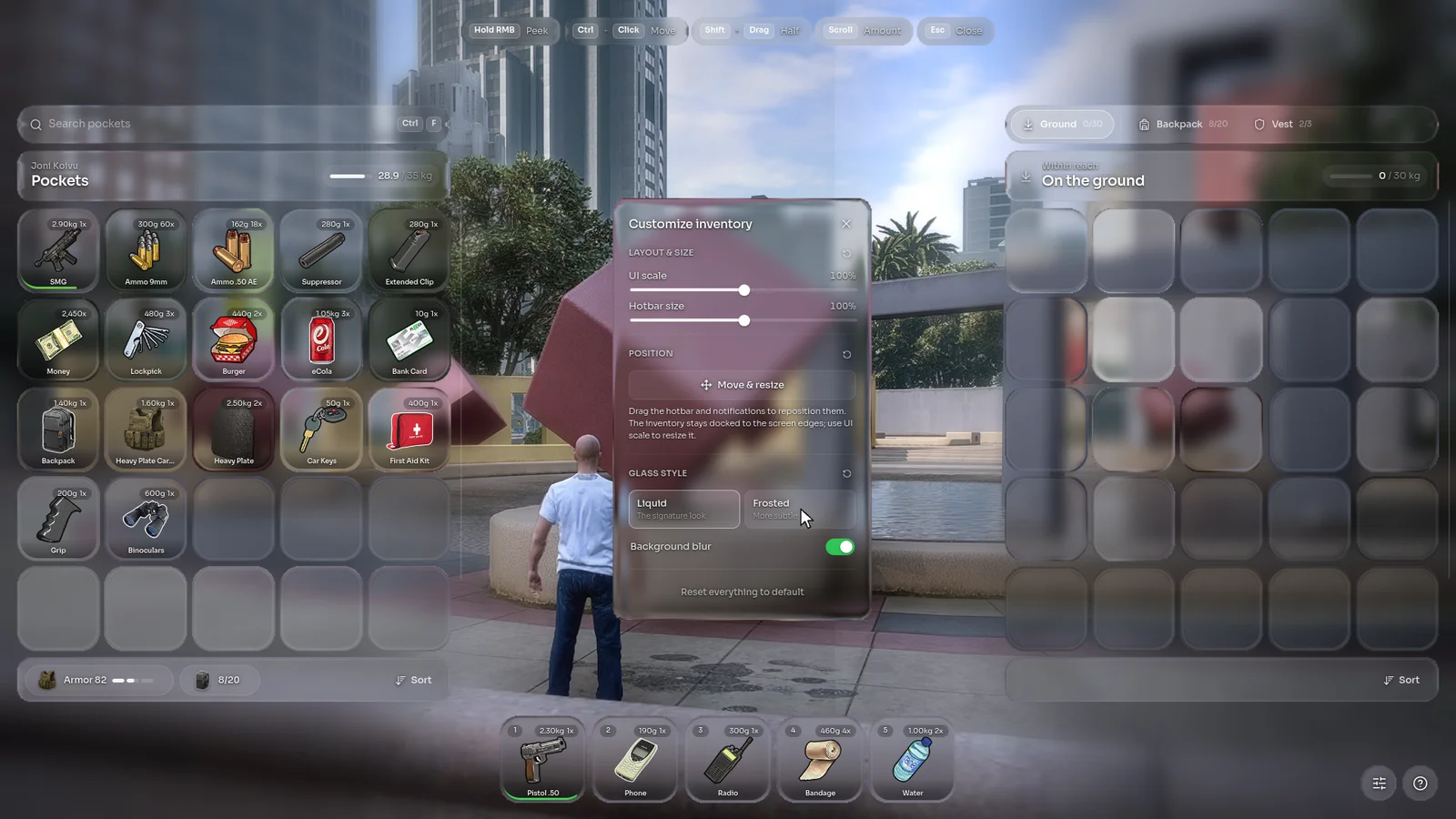
Each player picks the glass, the blur and the size of the inventory and hotbar, saved on their own PC.
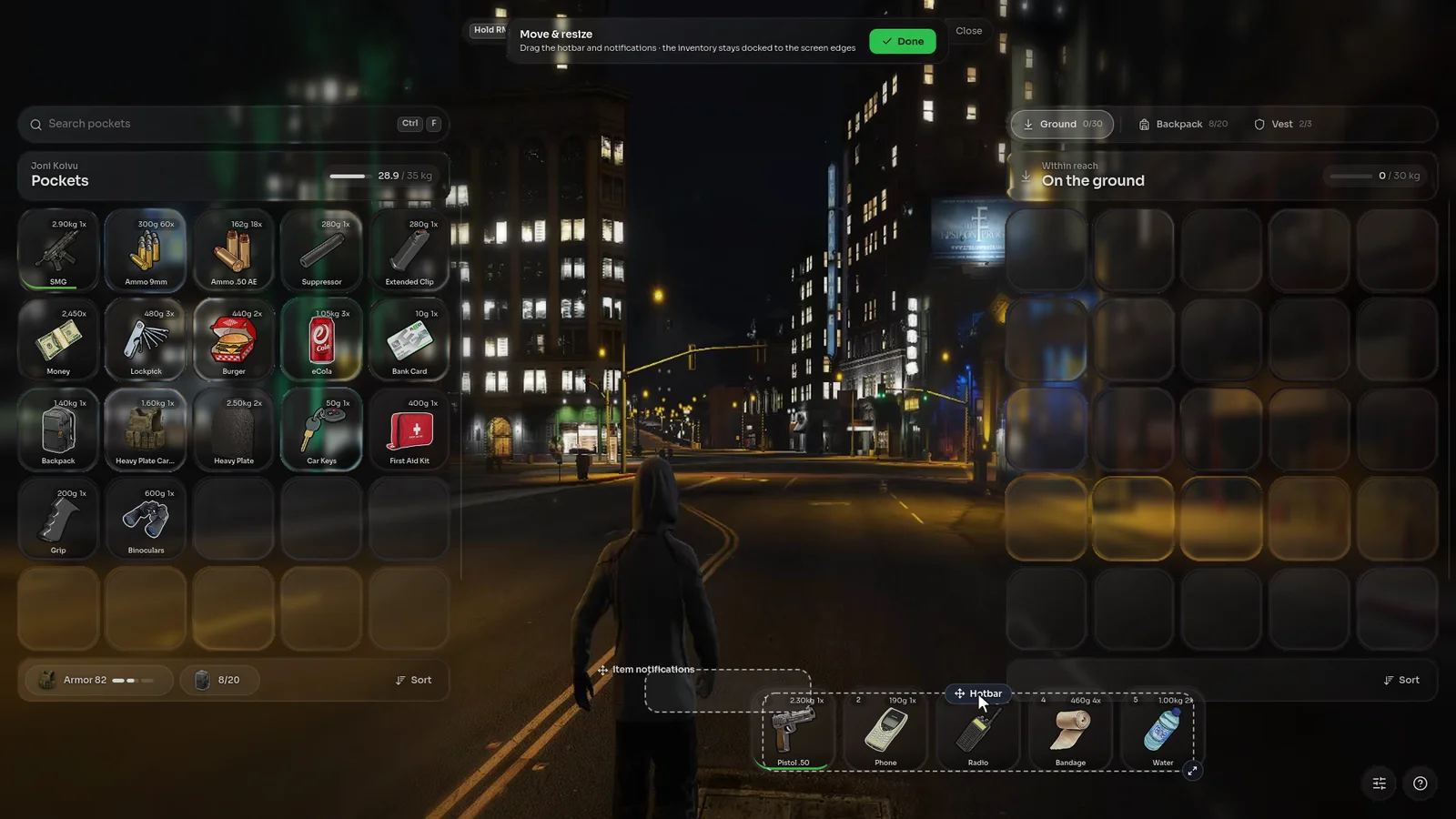
Make it yours and put it anywhere.
Drag the hotbar and the notifications anywhere, and resize them. One button puts everything back.